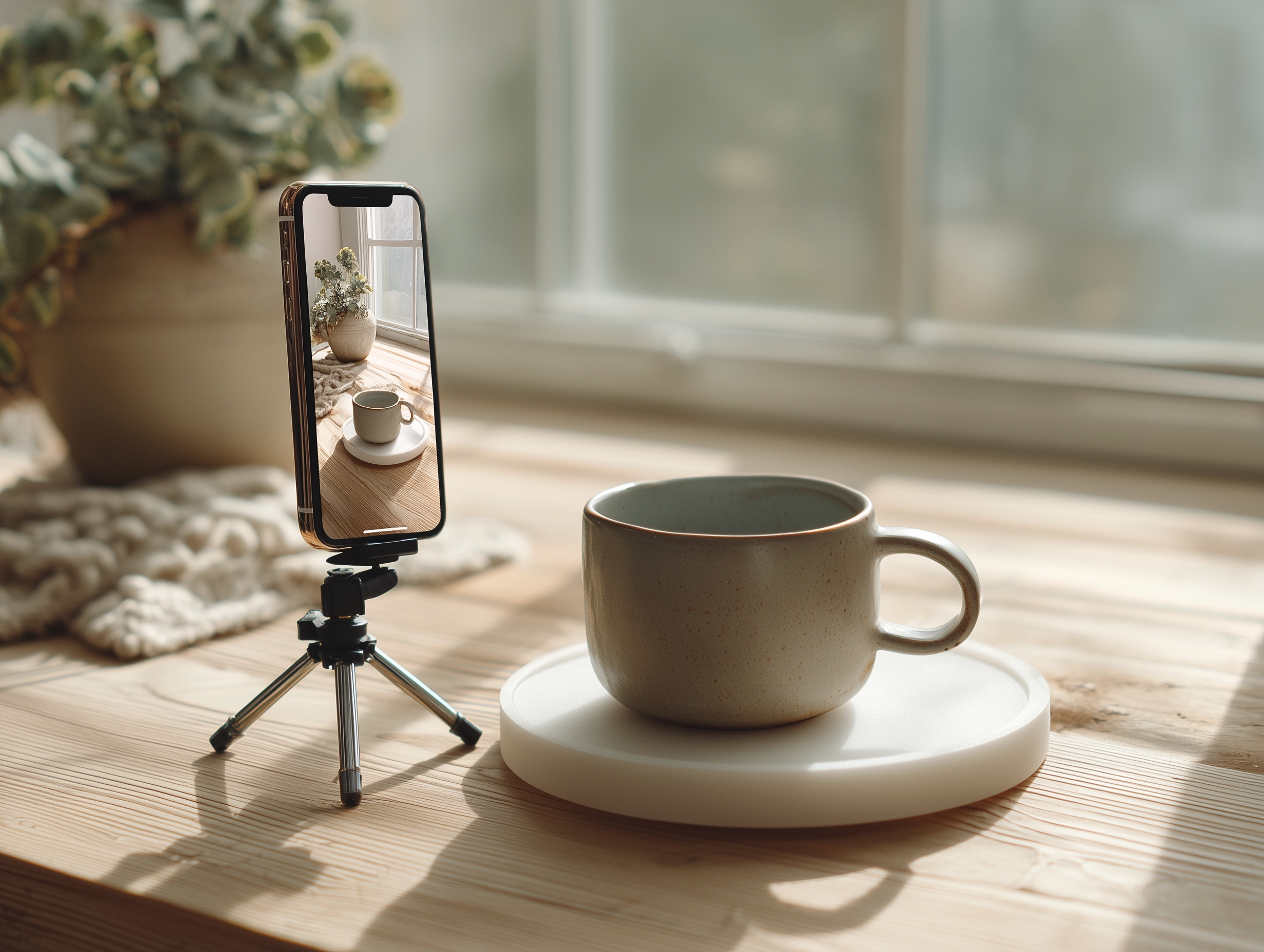
There's a persistent myth in e-commerce: you need expensive equipment and a professional studio to sell products online. The truth is far simpler. Some of the most successful independent brands we've seen are built on photography shot in spare bedrooms, against white bedsheets, with nothing but natural sunlight and a smartphone. What separates their work from the mundane isn't the gear—it's understanding light, composition, and intention.
Your product photography is often the first and only conversation you'll have with a potential customer. That image—or series of images—carries the weight of trust, desire, and decision-making. A poor photo doesn't just look unprofessional. It actively costs you sales. Conversely, thoughtful product photography compounds every other effort you make: better copywriting, a well-designed store, a strategic marketing campaign. It all means nothing if the images don't deliver.
The good news: creating compelling product and lifestyle photography doesn't require a trust fund or a photography degree. It requires understanding a few fundamental principles, investing modest amounts in basic tools, and developing a creative eye through practice. This is what we'll explore together.
Why Photography Matters More Than Anything Else
Let's be direct about hierarchy. When someone lands on your product page, they spend a fraction of a second forming an impression. The overwhelming majority of that impression comes from the image. Not the description. Not the price. Not the reviews—though those matter too. The image.
This is neurobiology at work. Our brains process visual information approximately 60,000 times faster than text. A striking image triggers an emotional response before your customer's conscious mind even engages. That emotional response—"I want that" or "That doesn't look right"—shapes everything that follows.
Consider the data: studies consistently show that product listings with high-quality imagery convert at significantly higher rates than those with mediocre photos. The difference isn't marginal. It's often the difference between a product that sells and one that sits in inventory.
Remember this: Photography is not decoration. It's the primary sales channel for every product you sell online. Treating it as an afterthought is leaving money on the table.
Beyond conversion, photography shapes your brand identity. The way you light a product, choose your backdrop, compose your shot—these choices communicate values. They tell customers whether you're a luxury brand or a budget option, whether you're playful or serious, whether you care about details. Consistent, intentional photography builds brand recognition in a way few other elements can.
Understanding Light: The Foundation of Everything
Light is everything in photography. Master it, and mediocre gear produces excellent results. Ignore it, and expensive equipment can't save you. The relationship between light and image quality is that fundamental.
The challenge many new merchants face is that they photograph their products indoors, under artificial lighting that's never quite right: too harsh, too yellow, too flat. The solution is almost always to move toward natural light. Natural light is free, beautiful, and infinitely more forgiving than most artificial sources.
Natural Light Basics
The first principle: soft light is almost always better than hard light. Hard light creates dramatic shadows and high contrast—occasionally useful for dramatic effect, but usually unflattering for product work. Soft light wraps around your subject gently, revealing details and color accurately.
Window light is your best friend. A large window, especially one that doesn't receive direct sunlight, provides gorgeous, diffuse natural light. The larger the light source relative to your subject, the softer the light. A huge window gives softer light than a small porthole. An overcast day provides softer light than a cloudless one (the clouds act as a giant diffuser).
But here's the practical challenge: window light changes constantly. It moves across your room throughout the day. Its color temperature shifts (warm in early morning and late afternoon, cool and blue at midday, golden at sunset). Its intensity varies with weather. You need to work with these changes, not against them.
Start by identifying the best-lit area in your home. Watch how light moves through it across different times of day. Photograph the same product at different hours and study the results. You'll quickly see when light is most flattering. Many product photographers find the hour or two after sunrise, or the hour before sunset, provides ideal light: warm, soft, and directional.
Creating Fill Light Without Spending Money
Natural light often creates shadows on one side of your product—that's not inherently bad, but it can obscure details you want visible. You need to gently fill those shadows without creating false, artificial-looking lighting.
The solution is reflectors. You don't need expensive reflectors. A large white poster board, propped opposite your light source, bounces light back into shadow areas. A white bedsheet works. Aluminum foil taped to cardboard works (though it's less controllable). Even a white wall can act as a reflector. The principle is simple: place something white or light-colored between your product and the darker areas, and you've filled shadows with soft, directional light.
Experiment with distance and angle. Close reflectors create stronger fill; farther reflectors are more subtle. Angling reflectors changes where light lands. Take test shots and adjust.
Building Simple Backdrop Setups
Your backdrop is the stage where your product performs. It should either complement your product or completely disappear. There's rarely a middle ground.
The most versatile backdrop is neutral: pure white, soft gray, or black. These work with almost any product. They convey nothing about style (or everything, depending on your brand voice). A white backdrop photographs cleanly. A black backdrop creates drama and separation. Gray is flexible and professional.
Here's what most home product photographers use successfully: white poster board, seamless paper, or bedsheets. A 36"x48" poster board costs a few dollars and works beautifully. Seamless paper rolls (four feet wide, continuous length) cost under twenty dollars and create a more professional curved backdrop that avoids corner shadows. A plain white bed sheet, pinned or taped to a wall and extending down over a table, works perfectly well.
Building a Simple Setup
The most basic setup looks like this: drape your backdrop material over a table, letting it flow down and across the table surface. This eliminates the harsh corner that would appear if you stood it straight up. Secure it with painter's tape (easier to remove than regular tape). Position your light source (typically a window) to one side and slightly behind your setup. Place your product on the table. Adjust your reflector to fill shadows on the opposite side.
If you're photographing multiple products or doing lifestyle shots, consider building a more permanent space. A backdrop stand (twenty to fifty dollars) holds your backdrop material securely and takes up minimal space when collapsed. A table dedicated to photography—even a folding table—eliminates setup time and lets you return to the same composition easily.
Pro tip: Shoot from a slightly elevated angle (slightly above your product's eye level). This is more flattering than shooting straight on, and it mimics how people naturally look at products.
When to Use Colored or Textured Backdrops
There's definitely a place for lifestyle photography—images that show your product in context, with styled props and thematic backgrounds. These tell a story and help customers imagine using your product in their own lives. But resist the urge to use busy, patterned backdrops for your primary product shots. Patterns distract from your product. Keep primary product photography clean.
If you're shooting lifestyle images, choose your backdrop thoughtfully. It should enhance your product, not compete with it. A minimal, soft-focus background works better than intricate detail. A wooden table surface, a linen backdrop, or a simple natural environment (shot out of focus) all work far better than bright, busy patterns.
Smartphone Photography vs. Traditional Cameras
Here's a question that comes up constantly: can you really shoot professional-quality product photos with a smartphone? The answer is yes—with caveats.
Modern smartphones, especially flagship models, have remarkable computational photography capabilities. They process images extensively, often producing more polished results than raw camera sensors. For product photography, where you want clean, accurate color and detail, this processing can be advantageous.
The Advantages of Smartphone Cameras
Smartphones are portable, always available, and require no learning curve. You likely already have one. The computational processing handles much of the technical heavy lifting. Most smartphone cameras now shoot in portrait mode, creating a shallow depth of field that isolates your product from the background—a technique that used to require expensive lenses.
For small products (jewelry, skincare, artisanal goods, books), smartphone cameras are genuinely excellent. The detail is sharp, the color is accurate, and you have full control through the phone's exposure controls.
The Limitations of Smartphone Cameras
The weakness of smartphone cameras becomes apparent when you need to photograph larger items, groups of products, or when you want more control over depth of field and composition. Smartphone lenses are wide-angle by design. They distort perspective—lines that should be straight bow outward. This can be problematic for structured products like furniture or clothing.
You also have limited control over aperture (the opening that lets light in and affects depth of field). Smartphone cameras create that shallow depth-of-field effect through processing, not through actual optical control. This works, but it's not quite the same as optical control.
For serious product photography at scale—say, photographing fifty different products regularly—you'll eventually want a proper camera. But you don't need an expensive one. A basic mirrorless camera or DSLR (used models cost $200-500) paired with a modest lens ($100-300) outperforms any smartphone for consistent product work.
Honest assessment: Start with your smartphone. Develop your eye, learn about light and composition, and build portfolio images. When you've outgrown your phone's capabilities, upgrade. By then you'll know what features matter for your specific work.
Composition Fundamentals for Product Photography
Composition is the art of arranging elements within your frame. Master it, and your images communicate clearly and feel intentional. Ignore it, and images feel accidental and unfocused.
Rule of Thirds and Visual Hierarchy
The rule of thirds is a fundamental compositional technique: divide your frame into a 3x3 grid and place interesting elements along those lines or at the intersections. This creates visual interest and balance. Most camera apps have a grid overlay—turn it on and use it.
For product photography, this usually means placing your product along a line or in an intersection, rather than dead center. Dead center feels static and formal. Off-center placement feels intentional and dynamic.
But equally important is establishing a clear visual hierarchy. Your product should be the dominant element. Everything else—backdrop, props, lighting—should support the product's presence without competing for attention. If your eye doesn't immediately know where to look, your composition needs adjustment.
Styling and Props
Props serve a purpose: they provide context, scale, and narrative. A cosmetic product shot alone is functional. The same product shot next to a mirror, or with fingers applying it, tells a story and helps customers imagine using it. A ceramic mug sitting alone feels abstract. The same mug photographed with coffee being poured in it becomes aspirational.
Choose props carefully. They should enhance your product, not distract from it. Keep styling minimal—too many elements create visual chaos. Negative space (empty area around your subject) is your friend. It gives the eye room to rest and makes your product feel important.
Natural props are nearly always better than artificial ones. Real coffee in a mug, actual hands (yours, a friend's, a family member's) using your product, genuine natural elements. Fake or overwrought styling reads as inauthentic and dated quickly.
Angle and Perspective
Shoot from multiple angles. For most products, a three-quarter view (slightly above and to the side) is more interesting and informative than a straight-on shot. It shows the product's dimensionality. But the right angle is specific to your product. Test. Take twenty shots from different angles and study which one best communicates your product's value.
Move closer and farther away. Show full-product context, and then zoom in on interesting details. Customers want both: the overall impression and the granular details that reveal quality. Wide shots, medium shots, close-ups—together they tell a complete story.
Lifestyle Photography on a Budget
Lifestyle photography is often called "in-context" or "in-use" photography. Instead of showing your product in isolation, you show it being used in a real (or realistically styled) environment. This is incredibly powerful for e-commerce. It helps customers visualize owning and using your product. It creates emotional connection. It often converts better than straight product shots alone.
The budget challenge: lifestyle photography seems to require carefully curated scenes, professional models, beautiful locations. In reality, the best lifestyle photography is often the simplest.
Styling Scenes on a Budget
You don't need an expensive location. Your home is a fully stocked location set. A wooden table, natural sunlight from a window, a simple background—that's everything you need. A bookshelf, a kitchen counter, a cozy corner. These are the spaces where people actually use products. Shoot there.
Gather props from your own surroundings. Plants add life and color. Books and magazines add texture. Coffee, tea, water—beverages add warmth. A blanket adds coziness. Hands (yours or anyone willing to help) add humanity. The beauty of working from home is that you have unlimited free props.
Flat lay photography—overhead shots where all elements are laid out flat—is a powerful technique and remarkably easy to execute. Your setup is literally flat on a table or floor. Natural light from above or from the side is all you need. It requires minimal styling because the flat perspective itself creates composition. A collection of skincare products, coffee, flowers, and a journal arranged on fabric becomes a coherent, aspirational scene. A collection of stationery, laptop, coffee, and a plant becomes a workspace aesthetic.
Finding Models and Hands
You don't need a professional model. You need human connection. Hands applying lotion, a friend wearing your clothing, a family member holding your product—these feel authentic because they are authentic. People using products in real, unguarded ways are more compelling than styled, professional models. They're also free.
If you're creating content regularly, consider trading with other makers and creators. You photograph their products for their website, they photograph yours. Everyone gets professional-quality lifestyle content without paying for models or photographers.
Remember: Authenticity sells. The most effective lifestyle images often look like they're from a friend's Instagram story, not a professional photoshoot. That sense of realness is valuable.
Technical Optimization: Preparing Images for the Web
Beautiful photos that load slowly, display incorrectly, or don't fit your theme are beautiful photos that cost you sales. The technical side of product photography—optimization, format, size, aspect ratio—is as important as the visual side.
File Size and Format
JPEG is the standard for photographs. It's compressed, which makes files small, but the compression is lossy (you lose some data). For most product photography, this is fine. JPEGs at 80-90% quality are virtually indistinguishable from the original but are a fraction of the file size.
WebP is a newer format that compresses even more efficiently. If your theme and customers' browsers support it, WebP images are smaller and faster-loading than JPEGs. Many e-commerce platforms now offer automatic WebP conversion, so you shoot and upload JPEG, and the platform serves WebP to compatible browsers.
PNG is useful for images with transparency (like product photography with transparent backgrounds), but for standard product photos against backdrops, JPEG is ideal.
File size directly impacts page load speed, which directly impacts user experience and SEO. Aim for product images between 100-500KB. Larger images load slower. Smaller images may sacrifice visible quality. Use your camera's editing software or free tools like TinyPNG to compress images without significant quality loss.
Image Dimensions and Aspect Ratios
Different sections of your store require different aspect ratios. A hero image (the large banner at the top of your storefront) might be 2:1 or 16:9. Product grid thumbnails are often square (1:1). Detailed product page images vary. Know what dimensions your theme requires before you shoot.
If you're using a well-designed Shopify theme, the theme documentation specifies required image dimensions. Shooting to those specs, rather than cropping afterward, gives you more flexibility in composition and avoids awkward cropping that removes important details.
Shoot at high resolution (3000x2000 pixels or larger). You can always scale down, but you can't scale up without losing quality. Let your theme scale images down for display, not up.
Color Accuracy and White Balance
Product colors must be accurate. A product photographed too warm or too cool creates customer disappointment when the physical item arrives. Most modern cameras handle white balance automatically and do a reasonable job. But shooting in RAW (if your camera supports it) gives you complete control in post-processing.
For smartphone photography, use your phone's white balance control. Most phones have an option to tap on a white surface, and the camera adjusts to make that surface truly white. Do this in your lighting setup, and color accuracy improves significantly.
If you're dealing with difficult lighting (mixed color temperatures), use white balance reference. Place a white card in your scene, photograph it, then use that reference to correct white balance in editing. This is especially important for products where color is a key selling point—clothing, cosmetics, paint, fabrics.
Post-Processing: Subtle Enhancement, Not Transformation
Post-processing is the editing done after you take the photo. There's a wide spectrum from minimal cleanup (removing dust) to heavy manipulation (completely changing colors, backgrounds, lighting). For honest product photography, you want the former, not the latter.
Basic adjustments that are almost always appropriate: exposure (brightness), contrast, saturation (color intensity), and sharpness. These correct for limitations of your camera setup and make images pop without misrepresenting your product.
Exposure adjustment fixes photos that were captured too dark or too bright. Contrast adjustment adds punch without changing colors. Saturation adjustment can help colors appear more accurate, but increasing saturation too much makes images look unreal.
Background removal and replacement is tempting (white background for all products!) but use it sparingly. If you shot against a white backdrop, you don't need it. If you shot in natural light and the background is distracting, removal might be appropriate. But backgrounds are part of your image's story. A photo shot in natural window light, with the environment visible behind your product, feels authentic. A product floating in white space feels sterile.
Free and affordable editing tools abound: Lightroom (Adobe's subscription is reasonable), Capture One (free version is capable), Snapseed (free mobile app), or even the editing built into your phone's camera app. Most of what you need can be accomplished with basic sliders. You don't need advanced Photoshop skills to optimize product photos.
A principle: If editing an image makes you uncomfortable about accuracy, don't do it. Your product photography is a promise. Misrepresenting products damages trust far more than it increases sales.
Preparing Images for Your Shopify Theme
Your theme is the framework that displays your images. Different sections of your theme display images differently. Understanding these differences helps you prepare images that look their best in each context.
Hero Images and Banners
Hero images are large banner images at the top of your storefront or above the fold on product pages. They set the tone for everything below. These images need to grab attention and work at multiple screen sizes (desktop, tablet, mobile). Wide aspect ratios (16:9 or wider) work best.
Subject placement matters here. Safe space is the area of your image that will be visible on mobile devices (typically the center). Place your key subjects in this safe space, and they'll be visible on all screen sizes. Everything beyond that is bonus on desktop and hidden on mobile.
Product Grid Thumbnails
Grid images are typically square (1:1) and small. From these tiny images, customers decide whether to click into your product. Clear, well-lit, properly composed images are essential. Avoid clutter. Make sure your product is immediately recognizable at small sizes.
Product Page Galleries and Carousel
Your product page typically has a main image and thumbnails below it. This is where customers scrutinize your product closely. You need multiple images showing your product from different angles, in different contexts, and with close-up detail shots. At least 4-6 images per product is standard. Some themes display these as a carousel (swipe through), others as a grid or gallery that opens a lightbox.
Understand your theme's specifications. Some themes have specific aspect ratios or dimensions for product images. Shooting or cropping to these specs means your images display perfectly without awkward gaps or forced scaling.
Lifestyle and Split-Content Sections
Many modern themes support rich content sections: image + text alongside each other, galleries, carousels, video backgrounds. These sections are designed to showcase compelling product imagery. If your theme has these sections—and well-designed themes do—lifestyle photography becomes especially valuable. You're not just selling products. You're telling stories.
Pair lifestyle images with thoughtful product photography. A customer sees a beautiful overhead shot of your product being used (lifestyle), then scrolls and sees detailed close-ups from multiple angles (technical product photography). Together, they create a complete picture.
Building a Sustainable Workflow
The difference between photographers who produce consistently excellent work and those who struggle is workflow. When process is clear, production becomes manageable. When every shoot feels ad-hoc, quality suffers.
Planning Your Shoots
Instead of photographing products as you need images, batch your shoots. Photograph multiple products in a single session. Set up your backdrop, light, and reflectors once. Shoot ten products instead of one. This is exponentially more efficient and produces more consistent results because lighting and composition are consistent.
Plan your content calendar. Decide which products need new images, which need lifestyle shots, which need different angles. Create a shot list before you begin. This keeps you focused and prevents the wasted time of staring at a product wondering what to shoot.
Organizing and Backing Up Files
Create a folder structure: product name > shoot date > original files. Use descriptive filenames: product-name_angle_version.jpg. This sounds obsessive, but when you need to reshoot or re-edit a product in six months, you'll be grateful for clear organization.
Back up files. A hard drive crash shouldn't mean losing months of product photography. Use cloud storage (Google Drive, Dropbox, etc.) or external hard drives. Have multiple copies of important files.
Maintaining Consistency
Consistency is a feature. If customers know they can trust your product photography to be well-lit, clearly composed, and honest, they form habits. They trust your brand more. Some of the most successful independent brands photograph their products the same way, from the same angle, with the same lighting, every single time. It becomes their signature.
Document your process. Take notes about lighting setup, backdrop used, camera settings, time of day. When you figure out a setup that works, replicate it. This ensures new products get the same quality as older ones.
Common Mistakes and How to Avoid Them
Years of working with merchants have revealed recurring photography mistakes. Awareness prevents them.
Using artificial lighting without diffusion: Harsh overhead lights or bare flash create unflattering shadows and color casts. Always diffuse artificial light. A cheap softbox (fifteen to thirty dollars) transforms artificial lighting from unusable to acceptable.
Photographing against busy backgrounds: Visual complexity distracts from your product. Simplify. A busy room, a patterned wall, colorful objects in the background all compete with your product for attention. Blank walls or simple backdrops let your product shine.
Incorrect exposure: Underexposed images (too dark) lose detail and look cheap. Overexposed images (too bright) are blown-out and lifeless. Use your camera's exposure preview or histogram to ensure proper exposure. Shoot slightly underexposed rather than overexposed; underexposure is easier to fix in editing.
Poor focus: A beautifully lit image is worthless if focus is soft. Ensure sharp focus on your product's most important detail. Use your camera's manual focus (especially for close-ups) or tap-to-focus on your smartphone.
Inconsistent white balance: If all your products have different color tones, your store looks unprofessional and untrustworthy. Establish consistent white balance across all product shots. Shoot under the same lighting conditions or manually correct white balance in post-processing.
Extreme cropping: Don't crop so aggressively that important details are lost. Leave breathing room around your product. You can always crop closer for detail shots, but you can't uncrop.
Your Learning Path Forward
Mastering product photography isn't something that happens overnight. It's a progression, and knowing where to focus first accelerates improvement.
Month one: Focus entirely on light. Choose a small product and photograph it under different lighting conditions—natural window light at different times, with and without reflectors, near and far from windows. Study your results. Learn how light shapes your subject.
Month two: Master composition and backdrop. Experiment with different angles, props, and backgrounds. Take the same product and photograph it fifty ways. Study what works and why. Learn the visual language of your product category.
Month three: Begin lifestyle photography. Practice styling scenes, working with props, telling stories. This is where photography becomes creative and less technical. Enjoy this phase.
Beyond: Refine and specialize. Identify which types of images perform best for your products and lean into those. Develop a signature style that becomes recognizable as uniquely yours.
Throughout this progression, study photography in your niche. Look at how successful brands in your space photograph their products. Analyze what makes their images work. Imitate (not copy, but learn from) their composition, lighting, styling. This accelerates learning significantly.
The real secret: The difference between so-so product photography and excellent product photography is not expensive equipment. It's caring about quality and being willing to practice. Take the time. Invest in learning. The return on that investment is direct: better images mean higher conversion rates mean more revenue.
In Summary: Professional Results Without Professional Budgets
You now have the framework for creating professional-quality product photography on minimal budget. Start with a window, a white backdrop, and your smartphone or a modest camera. Understand light—how it shapes your product and how to control it. Learn composition and styling. Optimize your images for the web and your theme. Build a sustainable workflow.
The gap between amateur and professional product photography is not what you'd expect. It's not thousands of dollars in equipment. It's understanding fundamentals and practicing consistently. Every merchant has the tools to do this. What separates successful photographers from unsuccessful ones is simply attention to detail and willingness to improve.
When your product photography is excellent, everything else in your store benefits. Your theme looks better when displaying great images. Your copywriting feels more credible. Your brand feels more trustworthy. Your customers make purchases more confidently. Photography is the foundation everything else is built on.
Start where you are. Use what you have. Do the work. Your product deserves it, and your customers will thank you.