
Invoices & estimates
Quote the job, get the yes, get paid
Send an estimate your customer approves online by typing their name — paying a deposit as they do, if you ask for one. Approved, it becomes an invoice they pay on your own site, by card or bank transfer, with reminders that go out for you. On the Starter and Store plans.
Estimates
A priced quote for one customer and one job. They approve it on your site with their name, or decline it, and an approved one becomes an invoice without retyping a line.
Every quote
See where every estimate stands
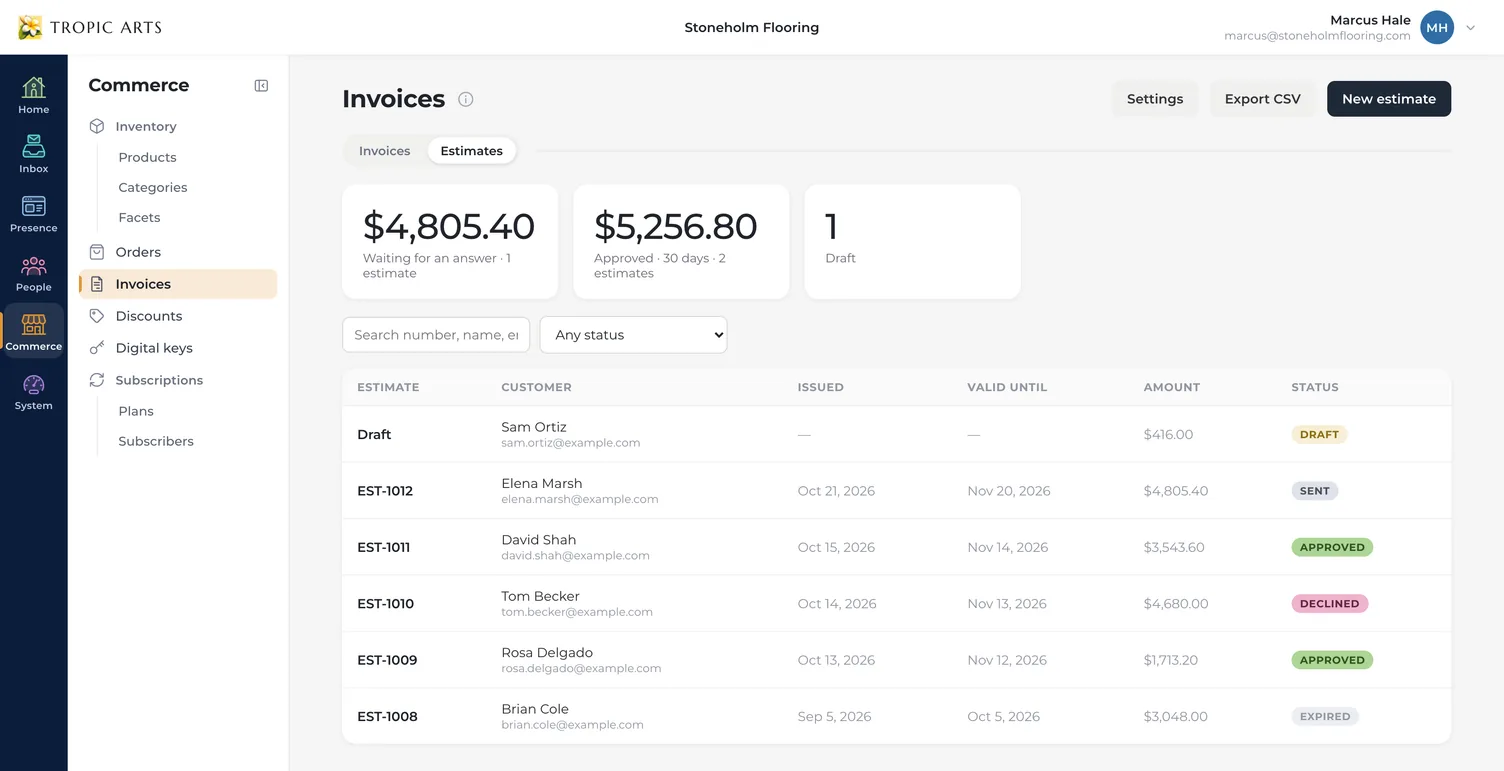
Estimates have their own tab in Commerce › Invoices: what's waiting for an answer, what's been approved in the last 30 days, and your drafts, with each one's customer, the day it was sent, the last day it can be approved, and its status — Sent, Approved, Declined, Expired or Withdrawn. Search, filter by status, or export the list as a spreadsheet.
Priced your way
Price the job the way you measure it
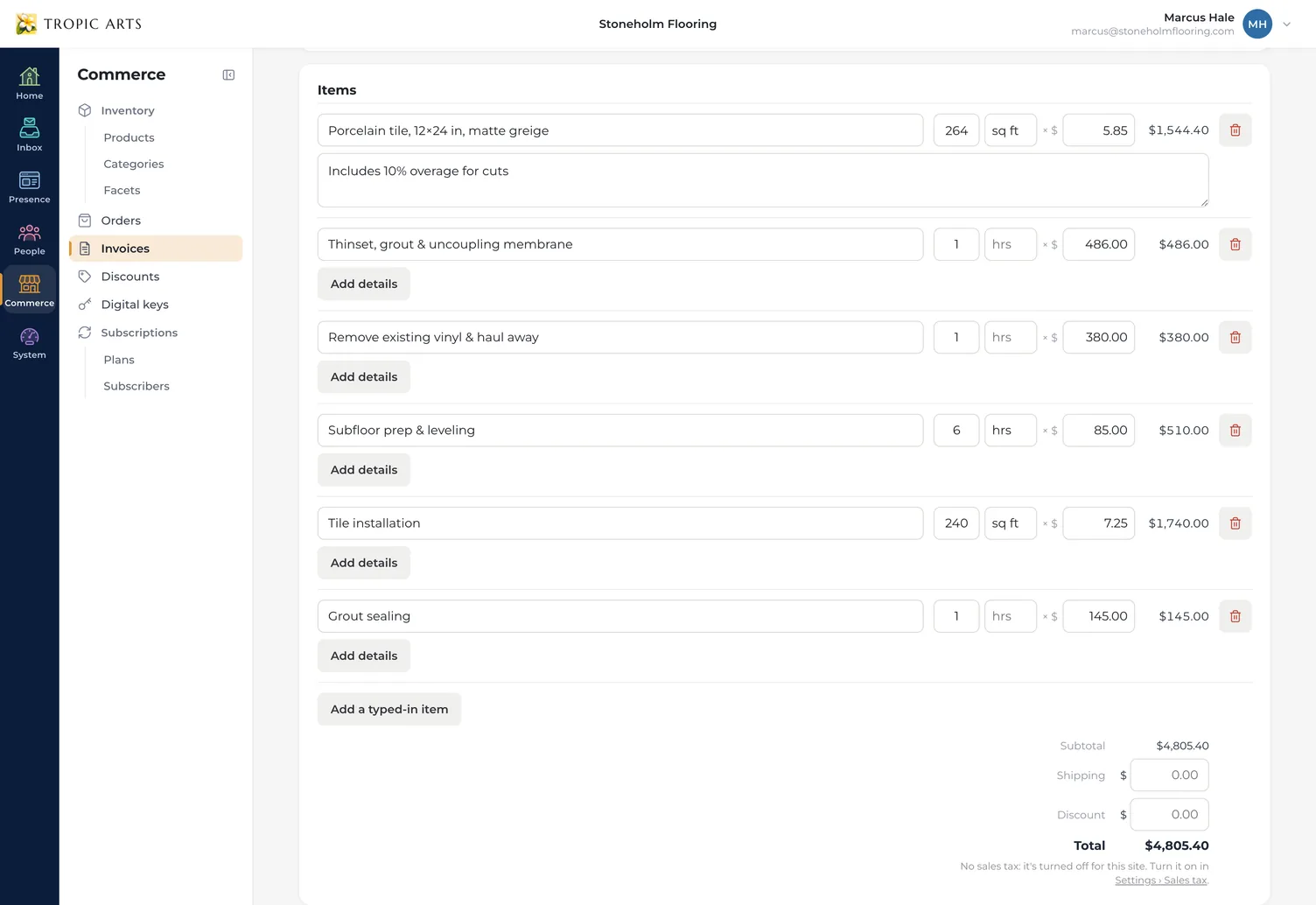
Add typed-in items for materials, labor and fees, each counted in parts with its own unit — 264 sq ft of tile at $5.85, 6 hrs of prep at $85 — with a line of details under any of them, like the overage you allowed for cuts. On the Store plan, add products from your inventory too. The total adds itself up as you type.
Deposits & terms
Ask for a deposit before you order the tile
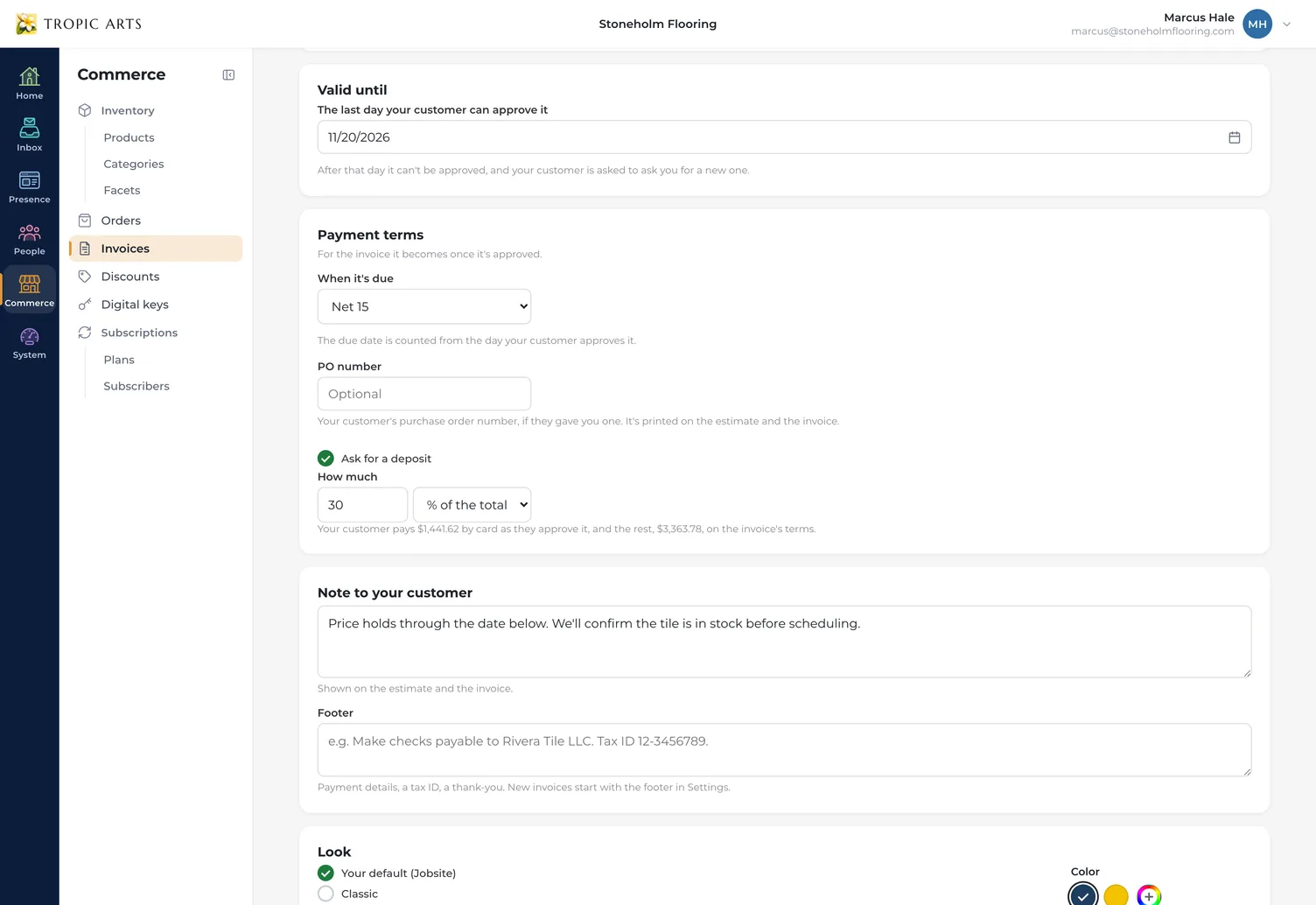
Give it a last day to be approved — 30 days from sending unless you pick another — and choose the payment terms for the invoice it becomes. Ask for a deposit as a percentage of the total or a set amount: your customer pays it by card as they approve, and the rest is invoiced on your terms. Add their PO number and a note, and both carry through to the invoice.
Six looks
Looks like your business sent it
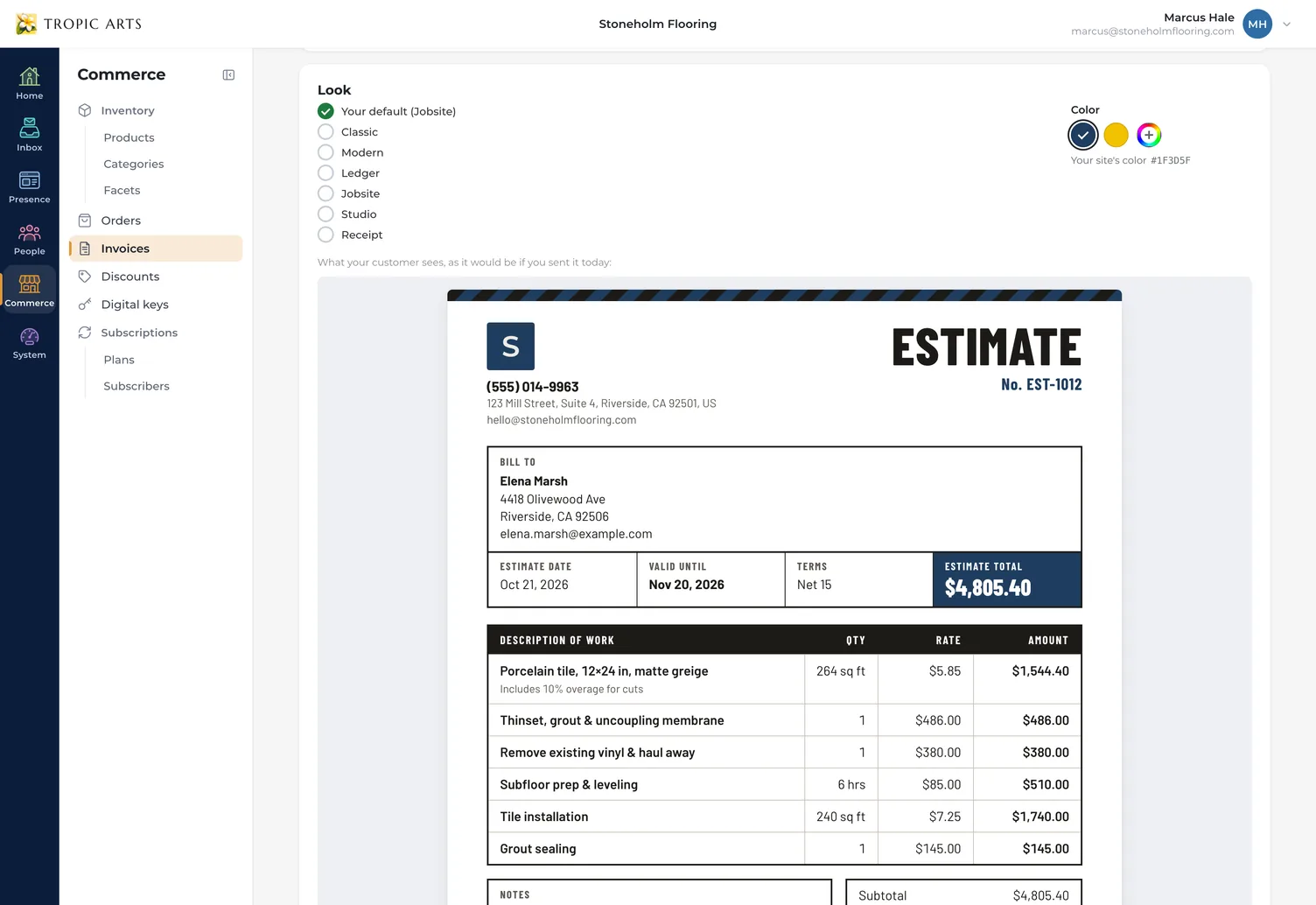
Pick one of six looks — Classic, Modern, Ledger, Jobsite, Studio or Receipt — in your site's color, the look's own, or any color you like, with your logo, address and phone at the top. The preview under the editor is exactly what your customer will see, down to the deposit they'll be asked for.
Sending
Sent with a PDF, followed up for you
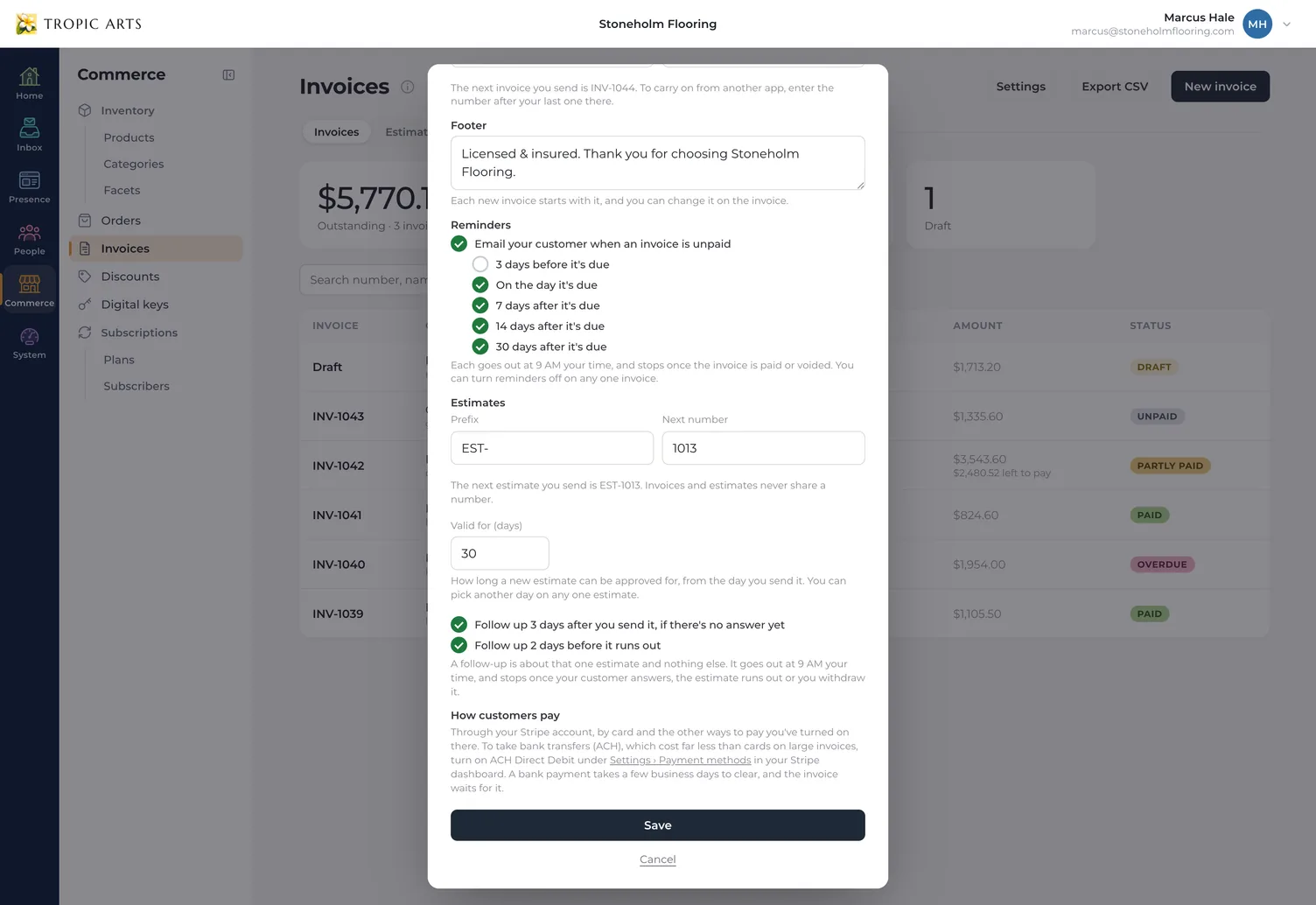
Sending numbers the estimate and emails your customer a link to approve or decline it, with a PDF copy attached — or choose Don't email it and print it or share the link yourself. Until they answer, they get a short reminder about that one estimate three days after you send it and two days before it runs out. You can switch either one off.
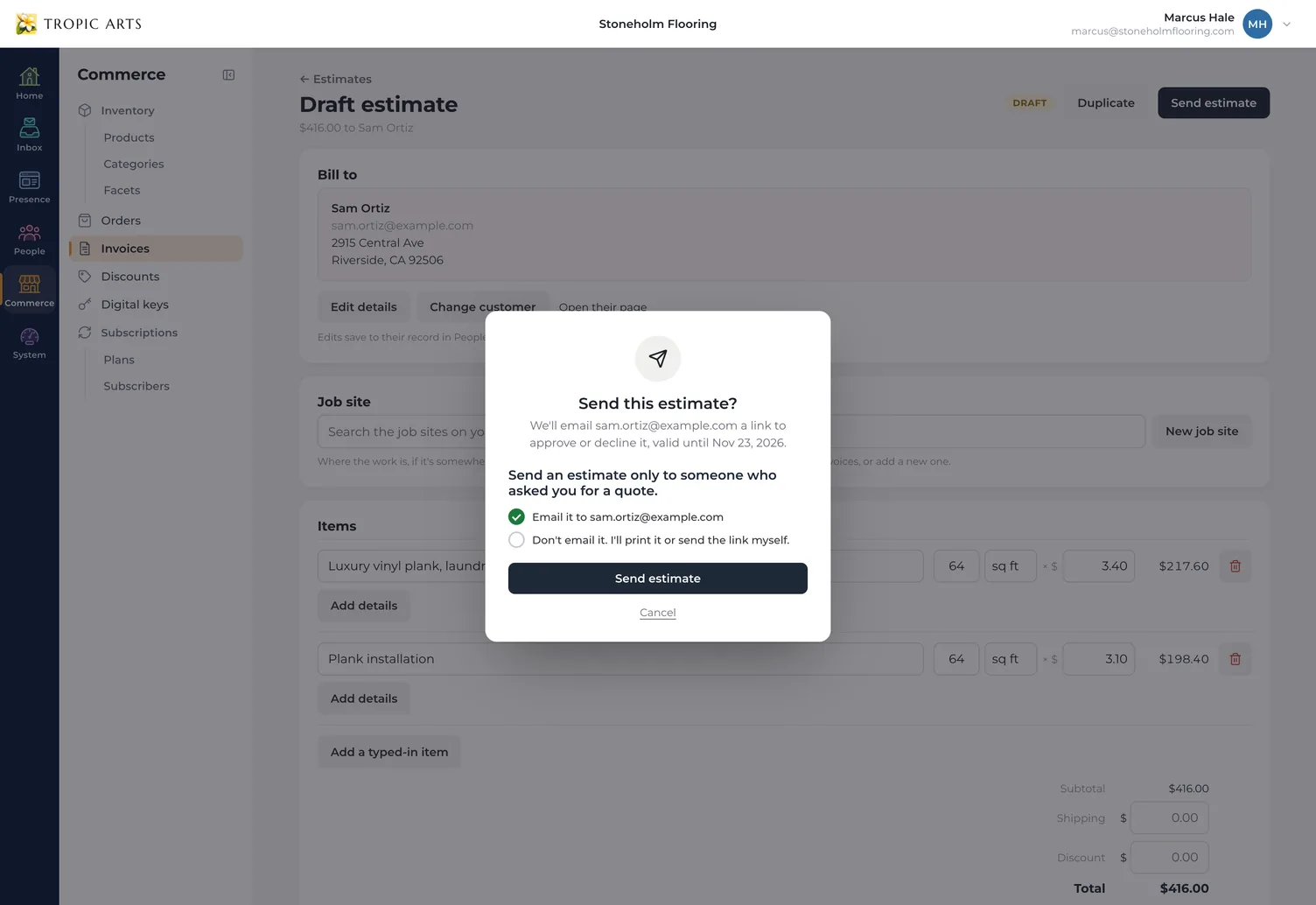
Their answer
Approved with a typed name
Your customer opens the estimate on your own site, types their name and clicks Approve — paying the deposit right then if you asked for one — or declines it, and can leave you a message either way. You're emailed the moment they answer. If you change the estimate while it's open in front of them, they're asked to reload, so only the latest version can be approved.
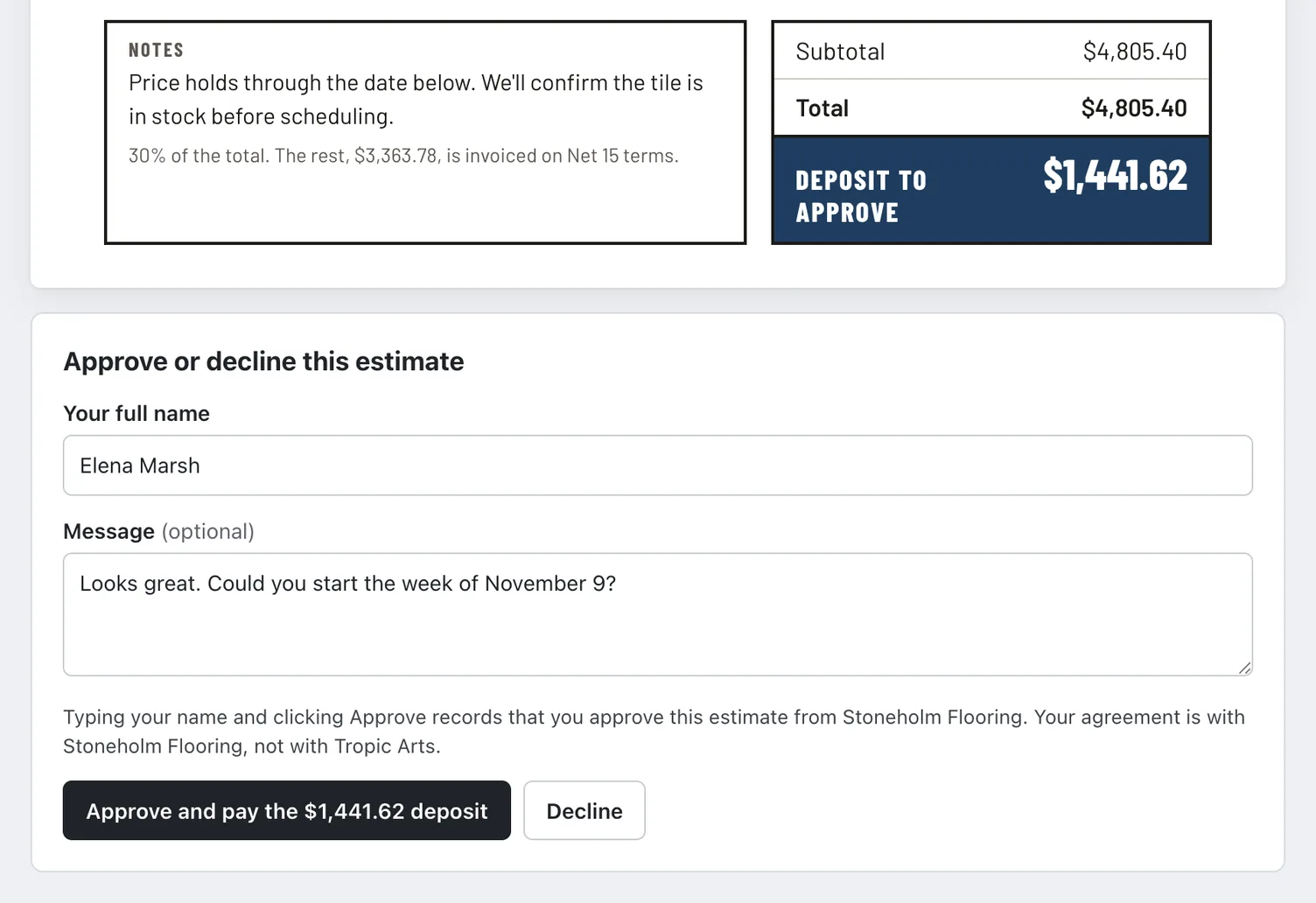
Approved
A yes turns into an invoice
Approved, the invoice is made for you with the same items, job site, terms, note and PO number. With no deposit, it waits as a draft for you to send when the work's done; with one, it's issued as they approve and they pay the deposit on it. Got the yes on the phone? Mark as approved does the same, and the estimate keeps who approved it, when, and what they wrote.
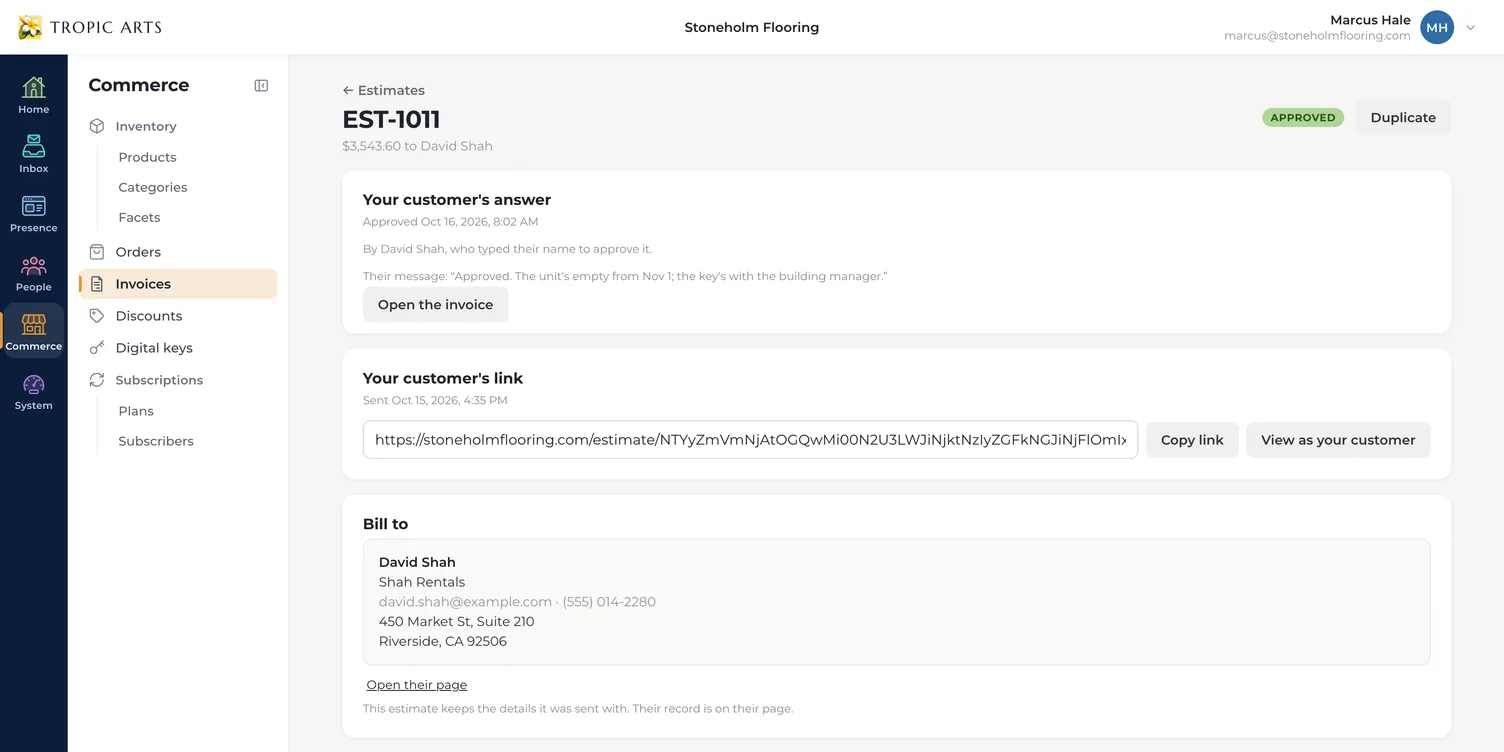
Invoices
A bill for one customer, emailed with a link to pay on your site. Each payment becomes an order in your dashboard, and Tropic Arts takes no cut of any of it.
At a glance
What's owed, what's late, what's paid
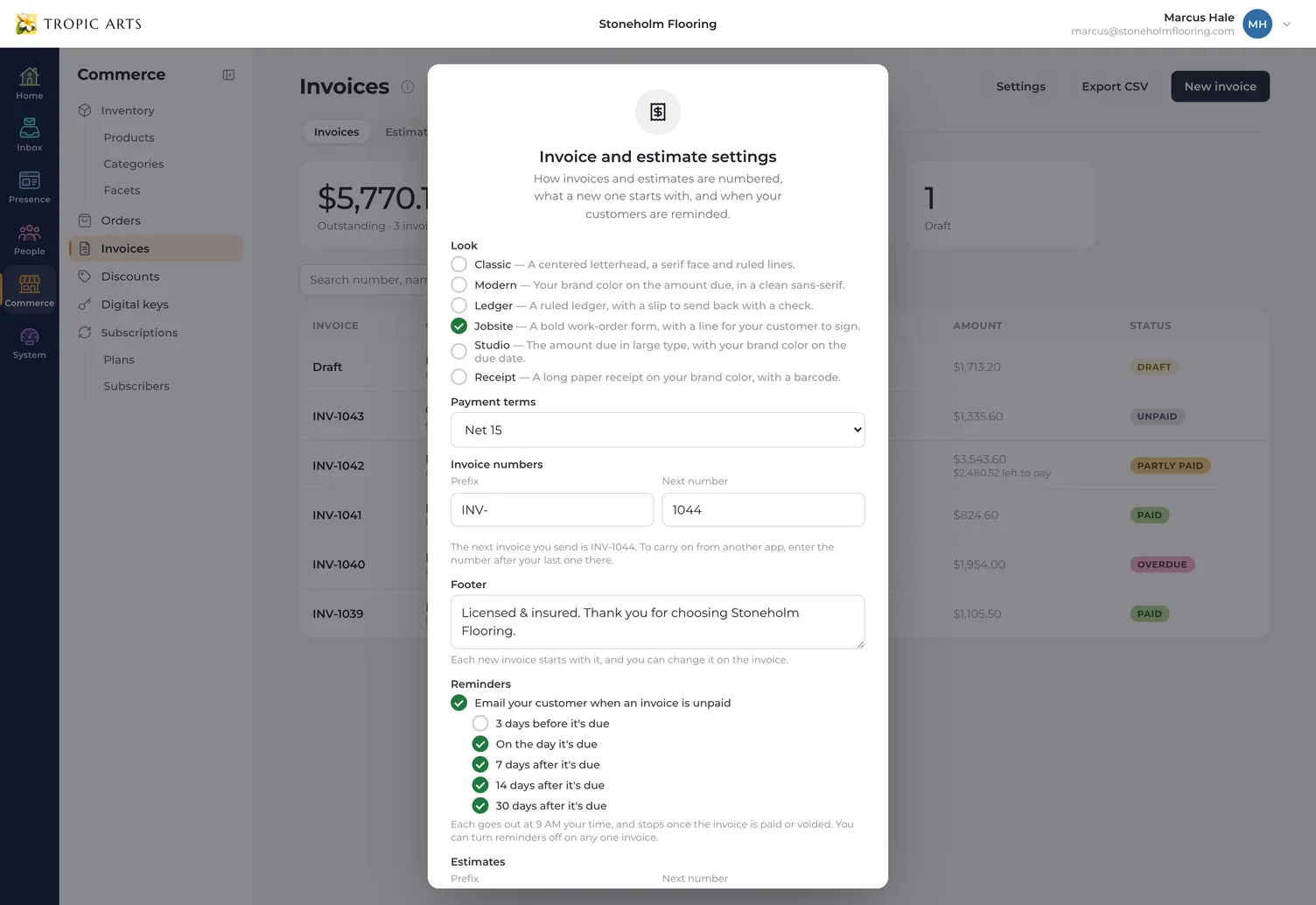
The Invoices tab adds up what's outstanding, what's overdue and what's been paid in the last 30 days, and lists every invoice with its customer, dates, amount and status: Draft, Unpaid, Partly paid, Overdue or Paid. Number invoices your way — your own prefix and the next number, so you can carry on from another app — and export the list whenever your bookkeeper asks.
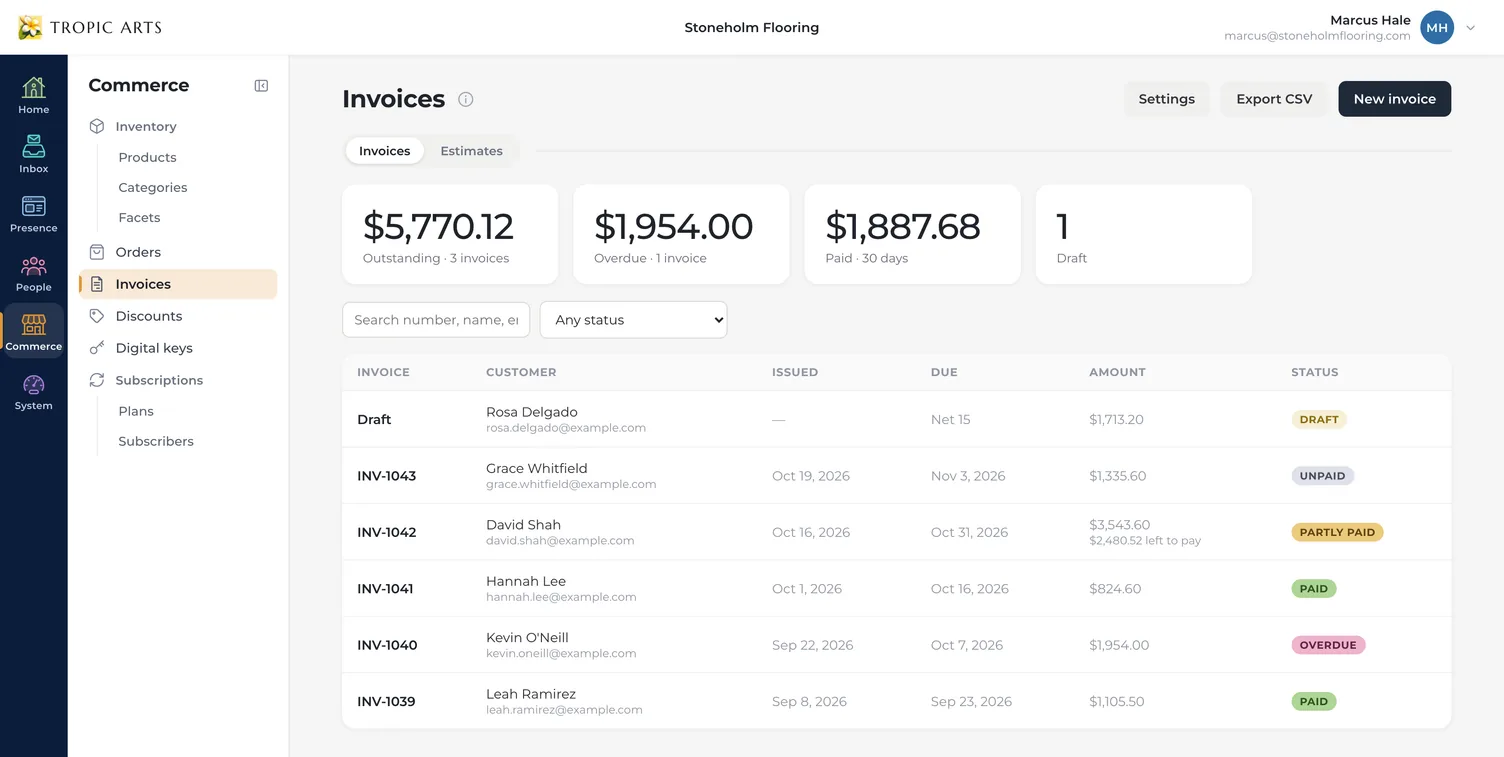
Getting paid
Paid on your own site
Your customer opens the invoice from their email, with the PDF attached, and pays on your site through your own Stripe account: by card, or by bank transfer once you turn it on in Stripe. A printed copy carries a scan-to-pay code that opens the same page. Each payment becomes an order in your dashboard, and Tropic Arts takes 0% of it.
Deposits & parts
Every payment, right on the invoice
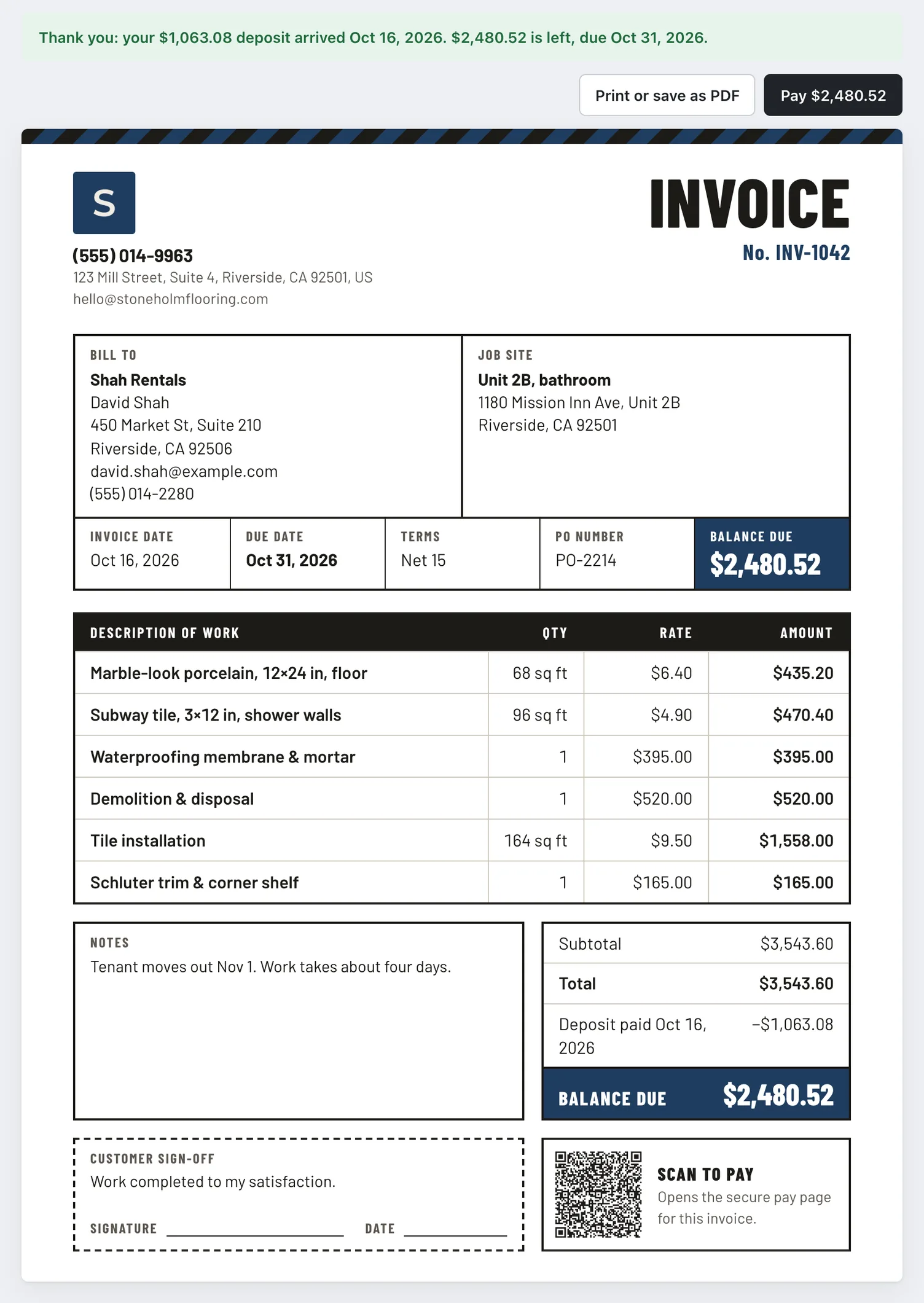
A deposit, a payment toward the balance, the last of it — each one is listed on the invoice with how and when it came in and the order it made, and the invoice shows what's left. Your customer can pay what's due now or all of it from the same link, and after each part they're emailed a thank-you with what's still to pay. Until it's paid, you can change it, and they're emailed the update.
Cash & checks
Paid by check? Record it
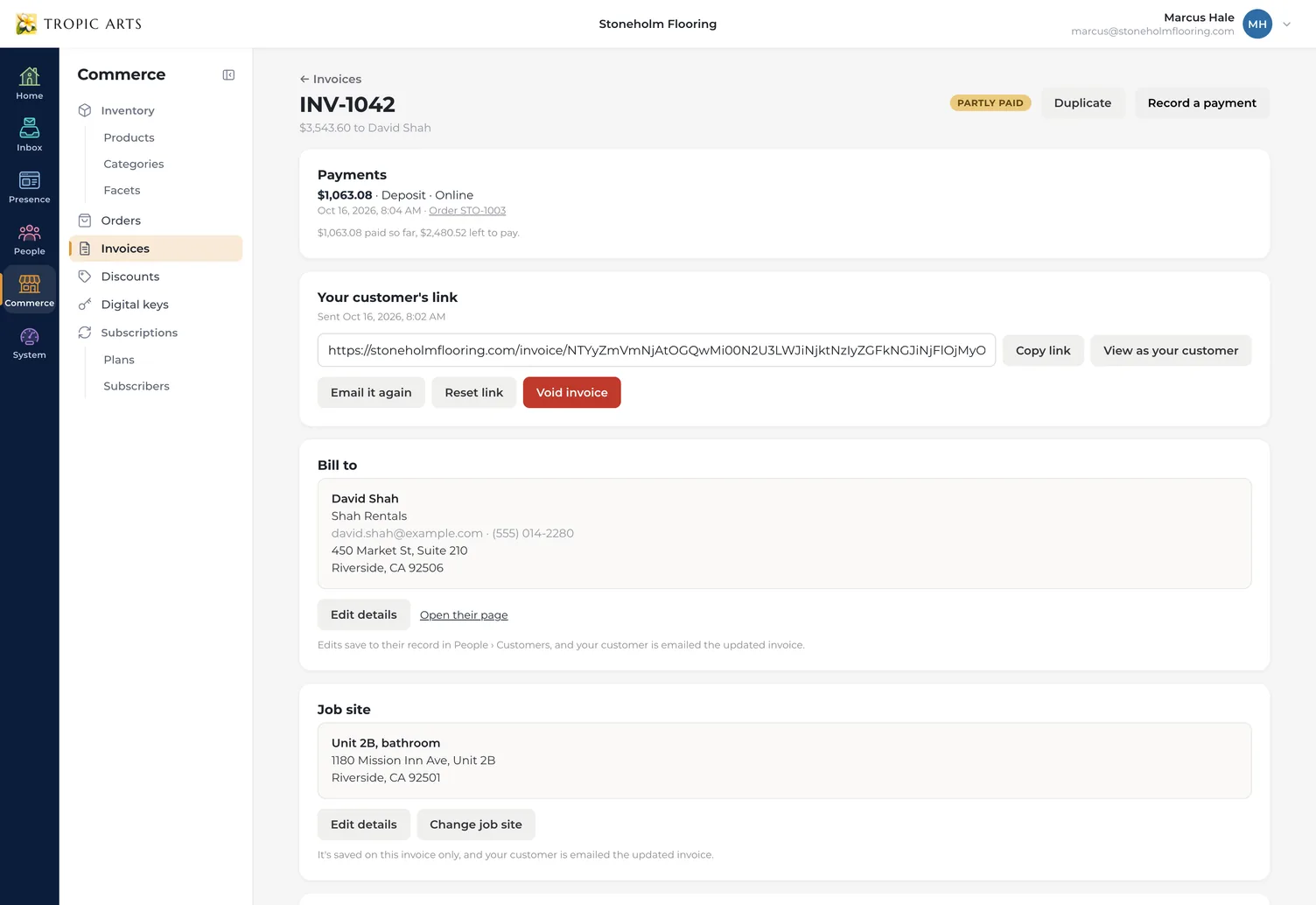
When money comes in outside the app, Record a payment notes the amount — all of it or part — how it was paid, the check number and the day, and can email your customer a receipt. It becomes an order like any other, so your books stay in one place.
Reminders
Reminders that go out on their own
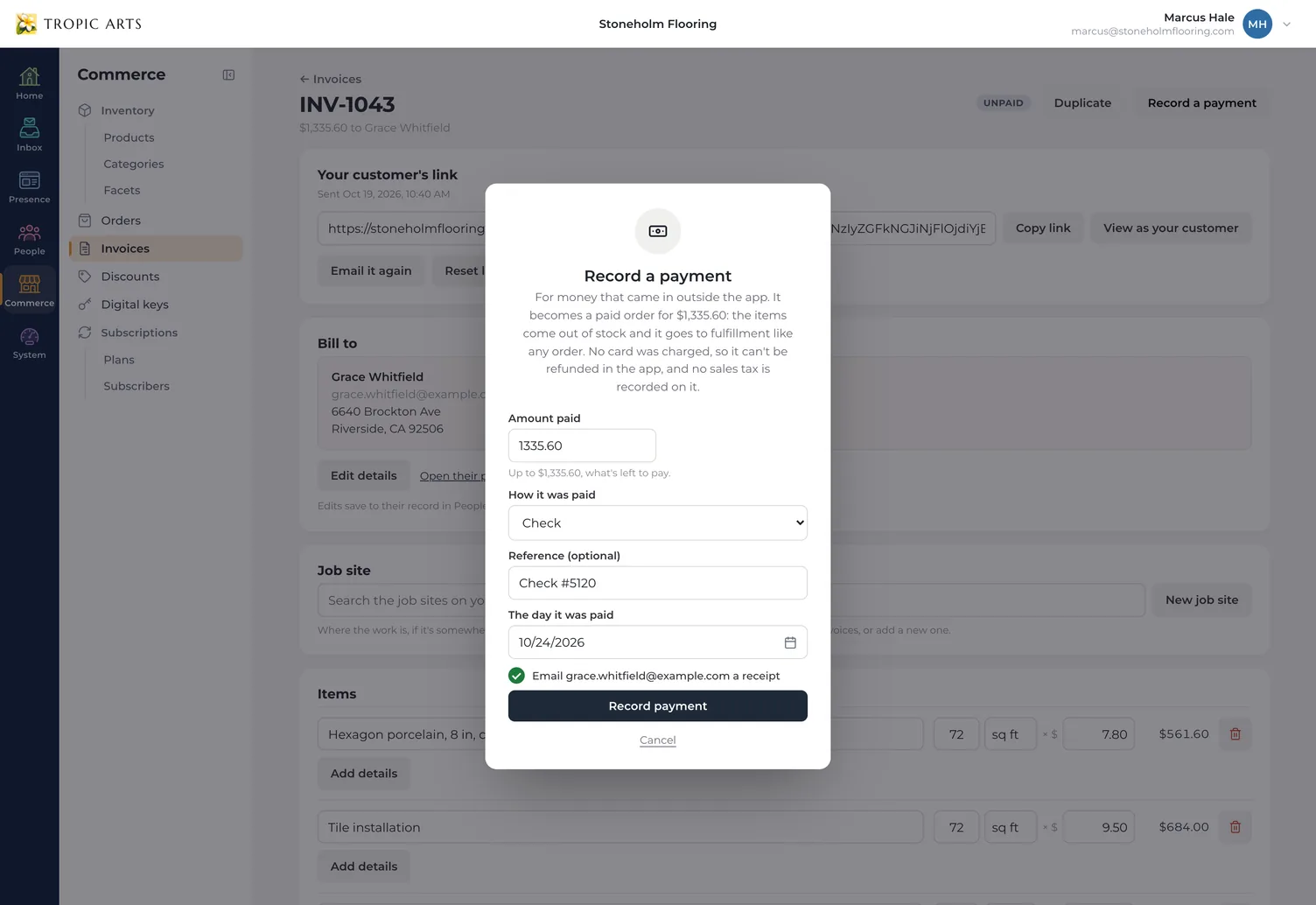
Unpaid invoices are reminded at 9 AM your time — on the day they're due, then 7, 14 and 30 days late, and three days before if you turn that on — and they stop the moment it's paid. Anything late, and any approved estimate still waiting on its invoice, shows up on your Home, with the reminders already sent.
Your defaults
Set it up once
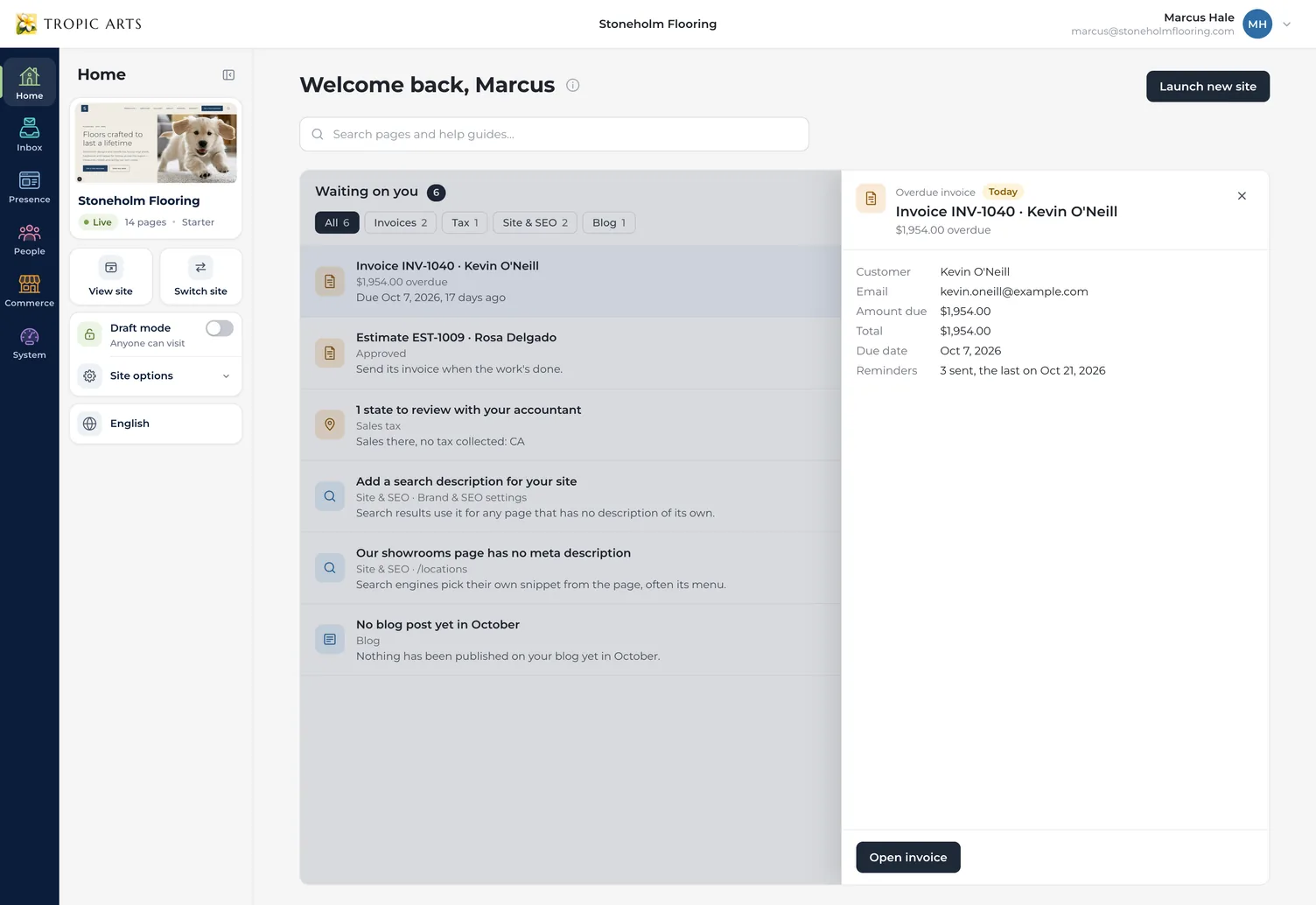
Settings chooses the look and payment terms every new invoice starts with, the footer it carries, how invoices are numbered and when your customers are reminded.
Estimate defaults
Numbers and follow-ups of their own
Estimates count on their own, like EST-1013, never sharing a number with an invoice, and stay open for the number of days you choose. Switch either follow-up on or off for every estimate you send.
From quote to paid
Send the estimate
Price the job line by line, ask for a deposit if you want one, and send it with a PDF copy.
They approve it
With their typed name, on your site, paying the deposit as they do. Their invoice is made for you.
Get paid
Send the invoice when the work's done. They pay online, or you record the check, and reminders do the chasing.
Everything invoices & estimates include
On the Starter and Store plans. Payments go through your own Stripe account, and Stripe charges its own processing fee; Tropic Arts takes 0%.
Estimates
- Approved with a typed name
- Deposit paid as they approve
- Follow-ups you can switch off
- Mark as approved
Invoices
- Paid on your own site
- Card or bank transfer
- A PDF copy in every email
- Scan-to-pay code on paper
Getting paid
- Deposits & part payments
- Record cash or a check
- Reminders on your schedule
- 0% platform fee
Your way
- Six looks in your colors
- Units like sq ft and hrs
- Job site & PO number
- Your numbering & CSV export
Questions about invoices & estimates
Starter and Store. Starter is $25 a month, or $180 for the year, which works out to $15 a month. Store adds the shop, and lets you put products from your inventory on an invoice or estimate. The free Trial doesn't send them.
No. Tropic Arts takes 0% of every invoice. Payments go through your own Stripe account, and Stripe charges its own processing fee, which is far less for bank transfers on large invoices once you turn them on in Stripe.
To be paid online, yes: connect it under Payments in your site's settings. A deposit on an estimate is paid by card as your customer approves, so it needs payments set up. Without Stripe, an invoice still goes out and asks your customer to contact you to pay, and you record what comes in.
Send estimates to people who asked you for a quote. They're for work someone wants priced, not for advertising, and each follow-up is about that one estimate and nothing else.
If you collect sales tax, Stripe Tax works it out as you send an invoice, for the job site's address or else your customer's, and shows it in the total. Estimates don't add tax: it's worked out on the invoice the estimate becomes.
Yes, until your customer answers. They're emailed the update, and only the latest version can be approved. Giving one that ran out a later last day opens it again.
They're deleted 400 days after they're declined, run out or are withdrawn, and you can delete one sooner. An approved estimate stays with its invoice.