
Salons, spas & barbers
Booking, your client list and a newsletter, in one place
A website designed for your salon, with online booking already built in. Clients pick the service, who they see, the day and the time right on your site, every booking lands on one calendar and in your client list, and the newsletter is there for the weeks that look quiet. Free to build; from $15 a month, billed yearly, to go live.
Start from a design made for the salon
Every one of these was designed in-house for beauty and wellness businesses — nail bars, hair salons, barbershops, day spas, massage studios, groomers. Open any of them full-screen, then make it yours: change the words, swap the photos, recolor the site.
Online booking
Clients book a time, not a callback
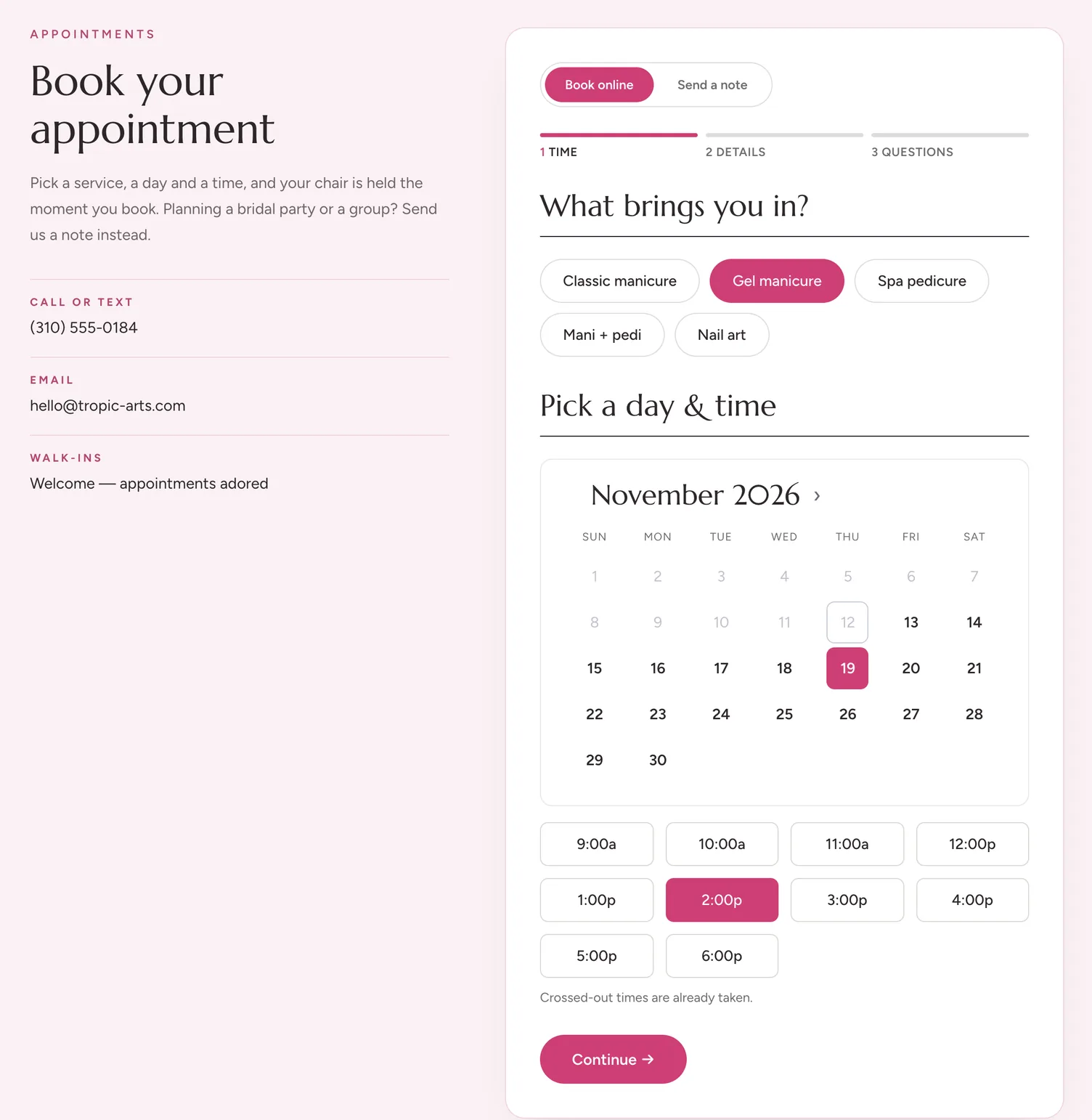
Put a booking form on any page and list what you offer — a gel manicure, a cut and color, a 60-minute massage. Clients pick the service, see which days and times are open, and take one. Times already taken show crossed out, the booked time is held the moment they book, and the client gets an email with the details — and so does everyone on your team who manages appointments. More than one stylist? Give each a calendar with their own hours, and the form can ask “Who would you like to see?”, with Anyone available first.
It sits on your own page, in your own colors. No hop to a booking app with somebody else's name on it.
Your client list
Your regulars, in a list you own
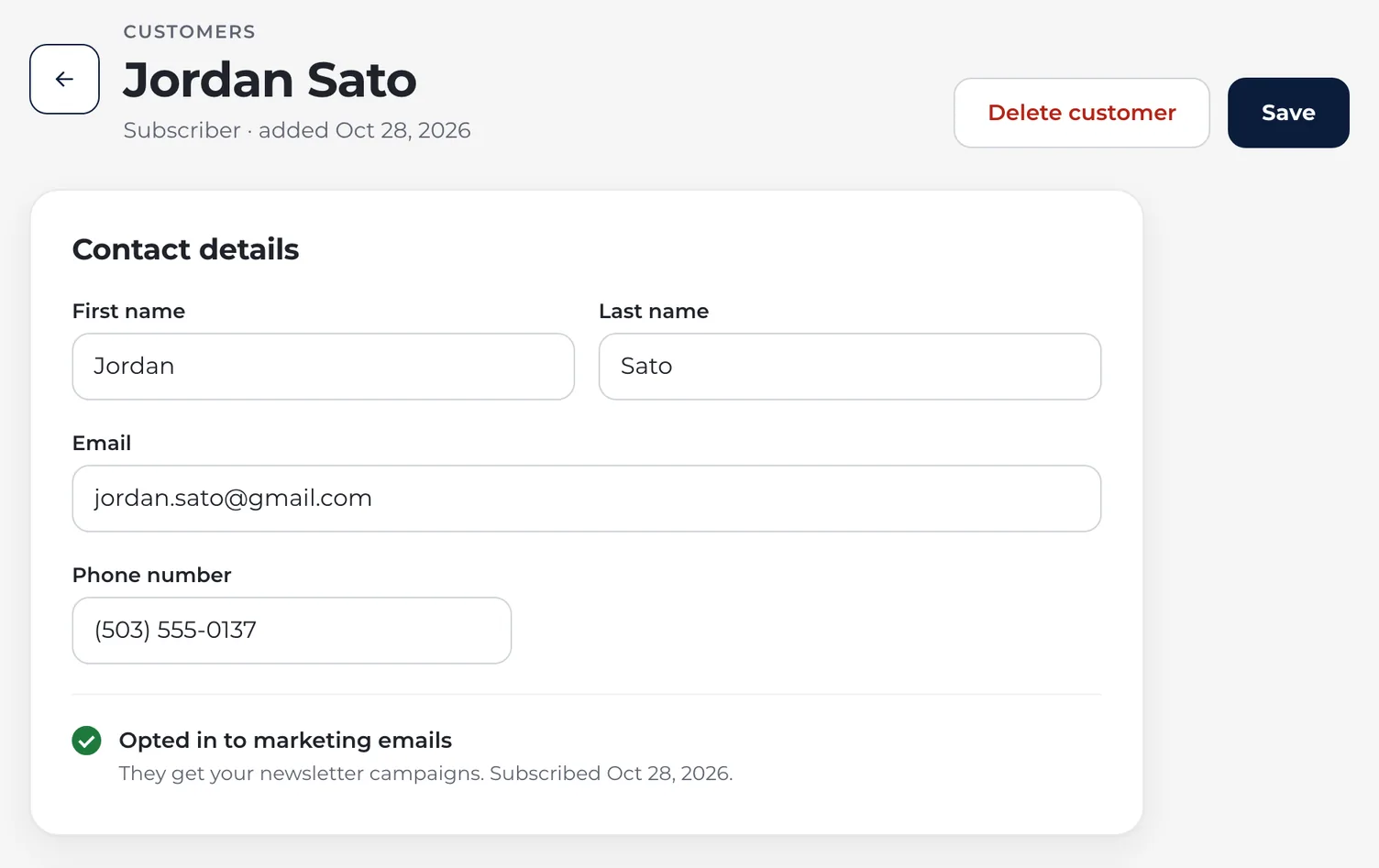
Every booking saves the client's name, email and phone to your contact list, and someone who books again updates their record instead of starting a new one. The list isn't in one stylist's phone or an old appointment book — it's in one place, and yours to export whenever you want it.
Add a newsletter checkbox to the form and clients can join your list as they book. They get an email to confirm, and only a confirmed address is added, so the list you send to is people who asked.
The appointment book
The whole week on one screen
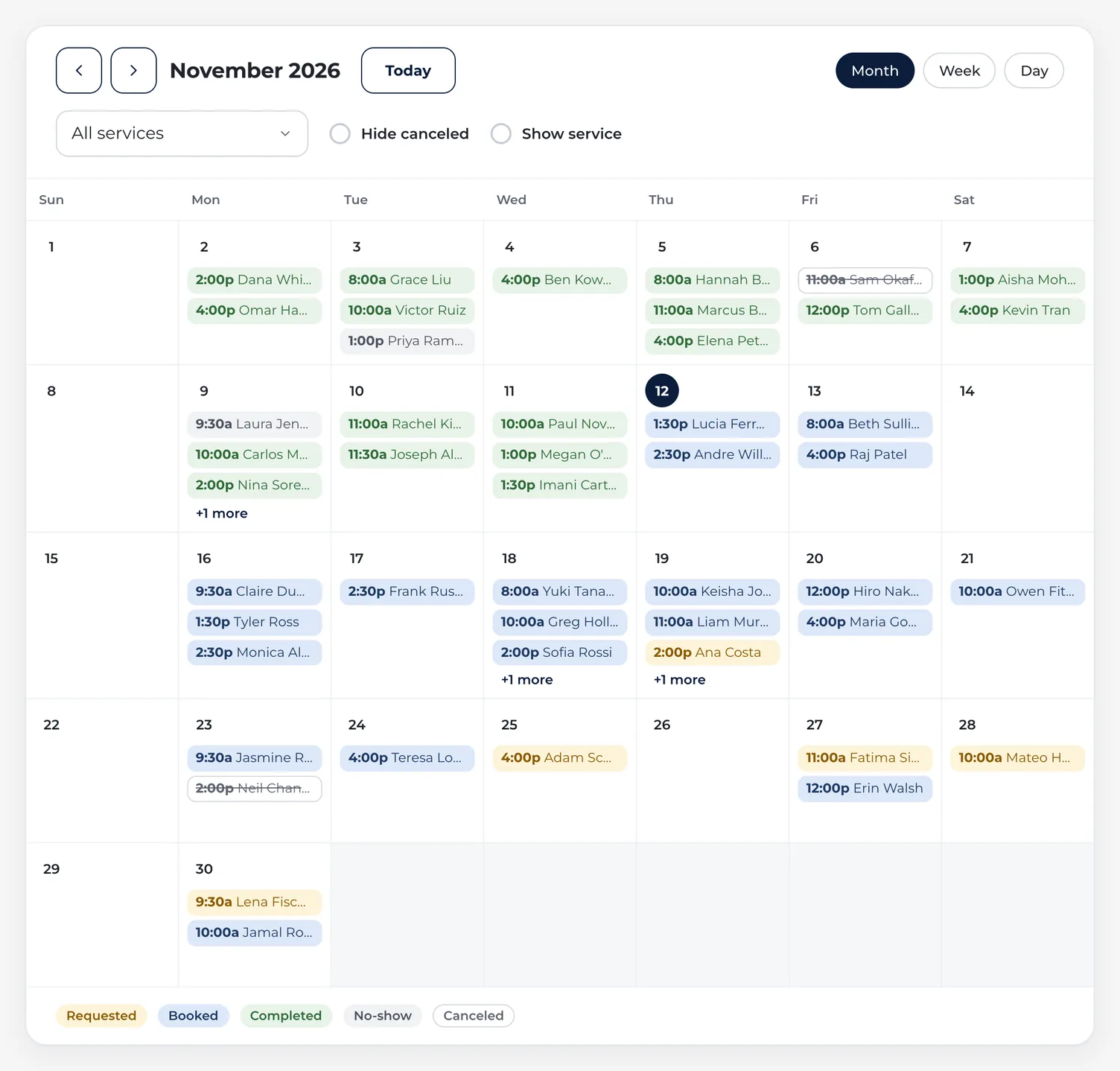
Bookings land on one calendar the moment they're made. Filter it by service, mark each visit completed or a no-show, and hide the cancellations when you only want to see who's coming in. Subscribe to it from Apple Calendar, Google or Outlook, and the appointments show up on your phone next to everything else. Each stylist can get a link of their own, with only their bookings. For a regular who comes every few weeks, set the visit up once as a repeat, with the same stylist at the same time.
Turn on a reminder email, choose how many days ahead it goes out, and every client with a booked visit hears from you before it; a request gets one only if you've confirmed it before the reminder is due. Reminders go out from your own email domain, once it's verified.
Newsletter
Fill the quiet Tuesday afternoons
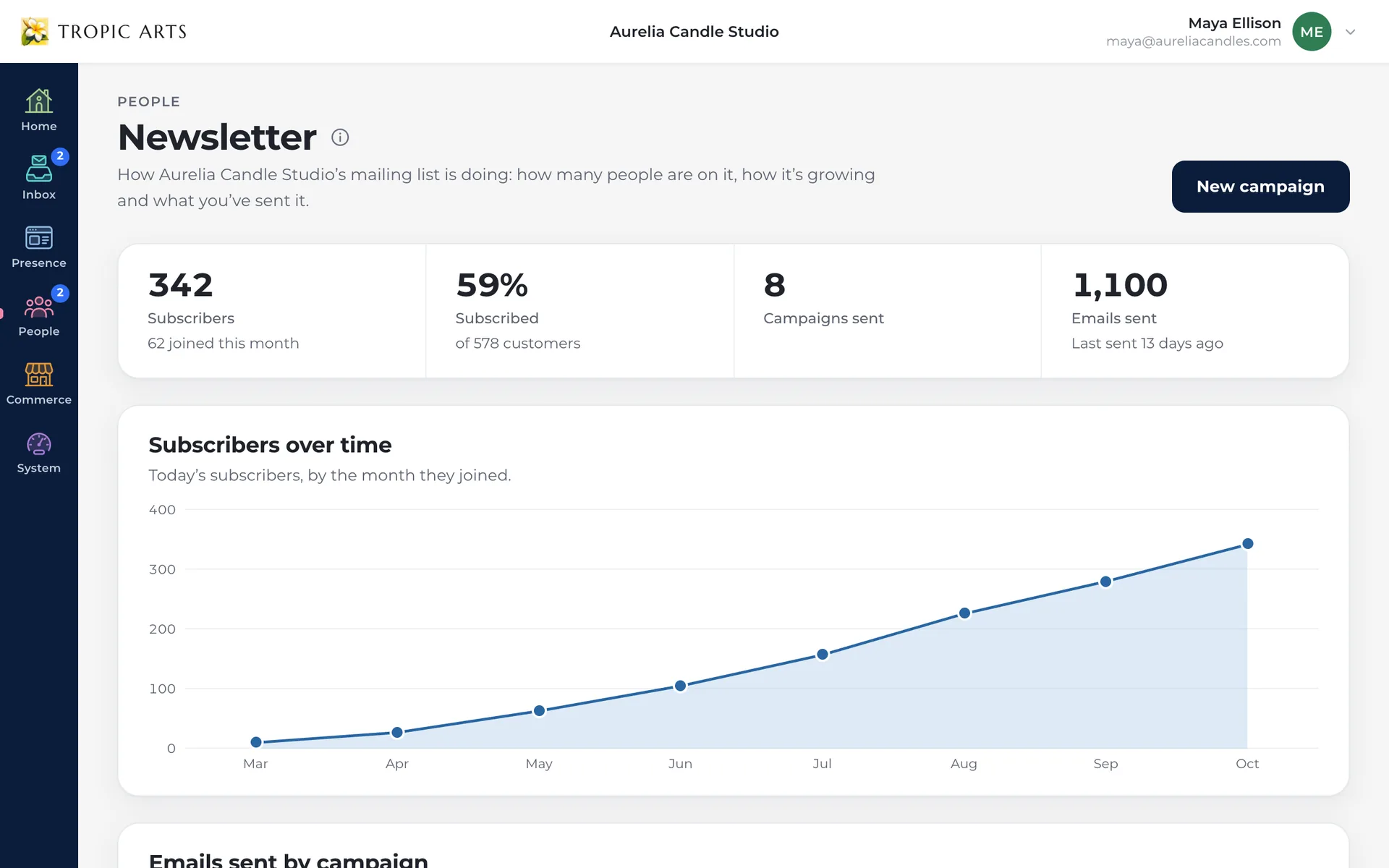
When the book has gaps, tell the list — a new seasonal set, openings on a slow afternoon, your holiday hours. Campaigns carry your logo, in the colors and layout you pick, and Starter includes 5,000 email sends a month, so there's no separate email tool to pay for.
What's included
Everything on this page is on the Starter plan — no add-ons, no booking app on the side, and no commission on a single booking.
Take the booking
- Booking form on any page
- Your services, listed
- Clients pick an open time
- Clients pick their stylist
- Confirmation email
Keep the client
- Saved to your client list
- Name, email and phone
- Newsletter opt-in
- CSV import & export
Run the book
- One appointments calendar
- Mark no-shows
- Repeat visits for regulars
- Optional reminder email
- Syncs to your own calendar
Stay in touch
- Newsletter & campaigns
- 5,000 sends a month
- Shared inbox on your domain
- Your own domain
Taking bookings this week
Pick a design
Start from one of the templates above. Every template is included on every plan, so the design you pick never changes what you pay.
Set up your services
List what you offer and the times you take each one, then swap the words and photos for your own and recolor the site to match your space.
Go live
Connect your domain — one you own, or a new one bought through us — and publish. Put the booking page's link in your Instagram bio, and the next client can book without calling.
Questions salons ask
No. There's no commission on new clients or regulars, and no fee per booking: a booking on your own site costs nothing on top of your plan. Booking forms don't take payments or deposits, so there's nothing for us to take a cut of.
No. Everything on this page is on Starter: the site, online booking, your client list, the appointments calendar, the newsletter, a mailbox on your own domain, and invoices your clients pay online. The Store plan adds products, cart and checkout, which is worth it if you want to sell retail products or memberships online — and you can move up to it later without rebuilding anything.
Starter is $25 a month, or $180 for the year, which works out to $15 a month. There are no setup fees and no contract. Building and previewing the whole site is free — you pay when you publish it.
Yes, on Starter. Give each service a price, and when the appointment's done, Invoice on its page makes the invoice, or Invoice visits puts several of a client's on one. They pay it on your site, and if you turn on Ask for a tip, they can add 15%, 20%, 25% or their own amount as they pay. Prices stay in your dashboard: your booking forms never show them.
If you want them to. Turn on a reminder email for a booking form and choose how many days before the visit it goes out; every booked visit from that form gets one, and a request gets one only if you've confirmed it before the reminder is due. Reminders go out from your own email domain once it's verified, and stay off until you switch them on.
On a yearly Starter or Store plan, the first year of one domain you buy through us is included, up to $25, and it renews at the normal price. Otherwise a domain is bought separately, through us or from wherever you already own one. Every paid plan covers the hosting, the SSL certificate, and a mailbox on that domain once it's connected.
No. The tag says what the design was drawn around, not who is allowed to use it — the gallery above is a shortcut, not a fence. Every template is available on every plan, so if a design filed under another industry suits your salon better, use that one.
Yes. You edit the page in place: change any word, swap a photo, drag sections into a different order, recolor the site. No code, and nothing you have to ask a developer for.
Let the next client book themselves
Free to build. From $15 a month, billed yearly, to go live.